Levlin Bridge is a Windows plug-in that moves geometry between Autodesk Revit® and Autodesk 3ds Max® in both directions. The design changes in Revit; the visualisation scene survives it.
The problem it removes
Every revision of a Revit model currently costs the visualisation team the work they did since the last one. The native File Link rebuilds elements it cannot match, and everything attached to those elements — materials, modifiers, UVW — goes with the rebuild. The FBX route is worse: it rebuilds the whole scene every time.
The result is a team that either delays updating, or re-does its work weekly. Both are paid for somewhere.
For the visualisation team
| Only what changed is rebuilt | Elements whose source geometry did not change are left alone. Materials, modifiers and UVW stay on them because nothing disturbed them. |
| Native 3ds Max objects | Not proxies, not links. V-Ray, Corona, Arnold and any other renderer treat them as objects you modelled yourself. |
| Layers mirror Revit categories | One to one — Levlin / Walls, Levlin / Doors, and so on. |
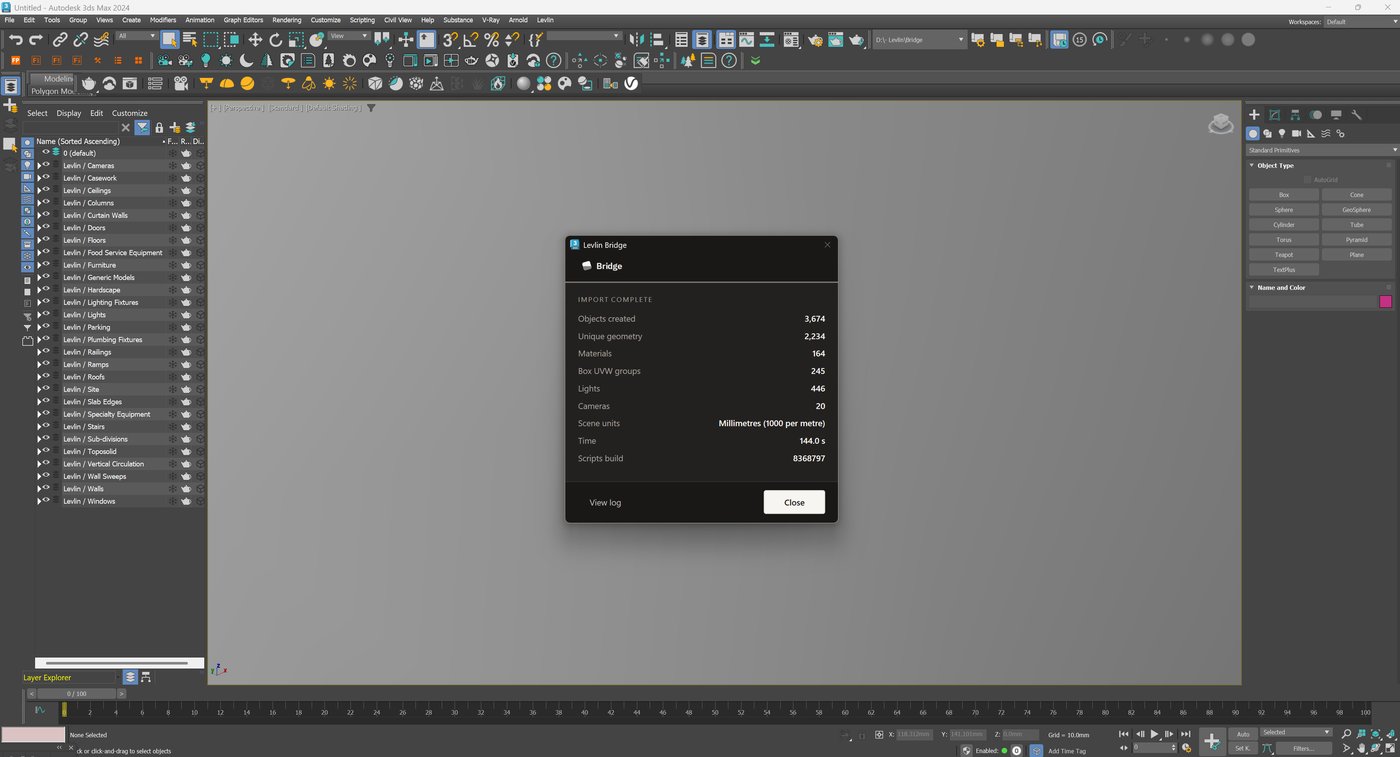
| Instances, not copies | Repeated elements reference geometry already in memory. In one recorded run, 3,674 objects arrived from 2,234 unique geometries. |
| Real-world UVW on import | Materials land at correct physical scale immediately. |
| Hard cases arrive whole | Stairs, railings and curtain walls come through named and separately selectable. |
For the BIM team — what it does not do
This is usually the deciding section, so it is stated first rather than buried.
| It never overwrites a BIM element | Geometry coming back from 3ds Max lands beside existing elements as its own object. No wall, floor or family is modified. |
| Nothing arrives unasked | A push writes a file and stops. Geometry enters a session only when someone in that session pulls it. |
| Deletion is never automatic | When elements are removed in Revit, Levlin Bridge stops and asks: Keep, Delete, or Set aside. Set aside moves them to a frozen layer with their materials and modifiers intact, and returns them if the element comes back. |
| Geometry returns as a reference | What changed in 3ds Max comes back as an editable conceptual mass carrying its 3ds Max material. The architect decides whether to build from it or replace with it. It is a hand-off, not a fixture. |
Versions — the constraint it removes
The native link cannot read a Revit file newer than the 3ds Max reading it. On a live project that is the normal state: the BIM team upgrades first because a client or a standard requires it, and the visualisation team is pinned to the release its plug-ins support.
Any Revit 2022–2027 works with any 3ds Max 2024–2027 — 24 combinations. Upgrading one application never forces the other. Windows 10 and 11.
For the budget
| Per seat | One seat covers a desktop and a laptop. Current pricing is published at levlin.net. |
| Nothing is held hostage | If a subscription ends, every .max file built stays yours and stays fully editable. Levlin Bridge only stops bringing new changes in. |
| Verifiable before it runs | Each build ships with an independent malware scan and a published SHA-256, so it can be checked before installation rather than trusted. |
| What it replaces | Not a renderer, not a modeller, not a BIM tool. It replaces the hours currently spent re-doing work after each revision. |
Status
Levlin Bridge is in final testing and is not yet released. There is nothing to download today. An email address left at levlin.net gets a 30-day trial the day it ships.
Where to check the detail
| Reference documentation | Version matrix, layer map, deletion behaviour — github.com/getlevlin/levlin-bridge-docs |
| Technical field notes | What the File Link options actually preserve, which routes do not exist, where the version wall sits — levlin.net/blog |
| Contact | hi@levlin.net |
This page is written to be printed or forwarded. Use your browser’s print command to save it as a PDF.