Not exactly — and the usual answer, “yes, they must match”, is stricter than the real rule while missing the part that actually hurts. Autodesk 3ds Max® can link and import Revit® files from its own year release and the three releases before it. What it cannot do, ever, is read a Revit file newer than itself. The constraint is not symmetry. It is a wall in one direction.
That distinction matters because real projects almost always break against the wall, not against the tolerance.
The actual rule
| Situation | Result |
|---|---|
| Revit file from the same year as 3ds Max | Links. |
| Revit file up to three releases older | Links without upgrading the file. 3ds Max 2020 reads Revit 2017, 2018 and 2019. |
| Revit file older than that | 3ds Max can upgrade the file to a version it accepts. |
| Revit file newer than 3ds Max | Does not link. There is no workaround inside the link. |
So there is real backward tolerance. There is no forward tolerance at all.
Why the asymmetry is the whole problem
Ask which of the two applications gets upgraded first on a live project, and the answer is almost never the one the visualisation team controls.
Revit moves first. The client mandates a release, the BIM standard on the project names it, or a consultant sends a model that has already been upgraded. The decision arrives from outside and it is not negotiable.
3ds Max moves last. The visualisation team is pinned to the release their plug-ins support — scattering, rendering, scripts, asset libraries. Upgrading is a project in itself, and doing it mid-deadline is not an option.
Put those two facts together and the normal state of a project is Revit ahead of 3ds Max. That is precisely the direction the link refuses.
What that looks like on a Tuesday
The model arrives upgraded. The link fails. The visualisation team now chooses between three bad options: upgrade 3ds Max mid-project and risk the plug-in stack, ask the BIM team to maintain a downgraded copy of a model they do not want to maintain, or abandon the link and move to FBX exports — which rebuilds the scene, and with it discards the materials, modifiers and UVW built since the last revision.
Even matching years are not a guarantee
The rule above describes the design. Practice is rougher. A documented case has 3ds Max 2025.3.6 failing to read files from Revit 2025.4.5, because the point release is misidentified as a 2026 file and the Link Manager refuses it. Same year on both sides, and the link still stops.
This is worth knowing before you plan around version matching as though it were a solved constraint. It is a moving target inside a single release year.
Where the constraint comes from
The link is not a generic file reader. 3ds Max ships a component called Autodesk Revit Interoperability, and that component is built against specific Revit releases. When people report the error “Autodesk Revit Interoperability for 3ds Max is not installed”, the cause is usually a missing or mismatched component rather than a broken file.
Because the constraint lives in a version-locked component, it cannot be configured away. There is no setting that makes an older 3ds Max read a newer Revit file.
What actually removes it
A transfer that does not depend on 3ds Max parsing the .rvt file directly does not inherit the wall. If the Revit side writes an intermediate file and the 3ds Max side reads that, neither application has to understand the other’s format or release.
That is how Levlin Bridge is built. Push in Revit writes one file. Pull in 3ds Max reads it. Neither side opens the other’s native format, so the release each team is on stops being a shared decision.
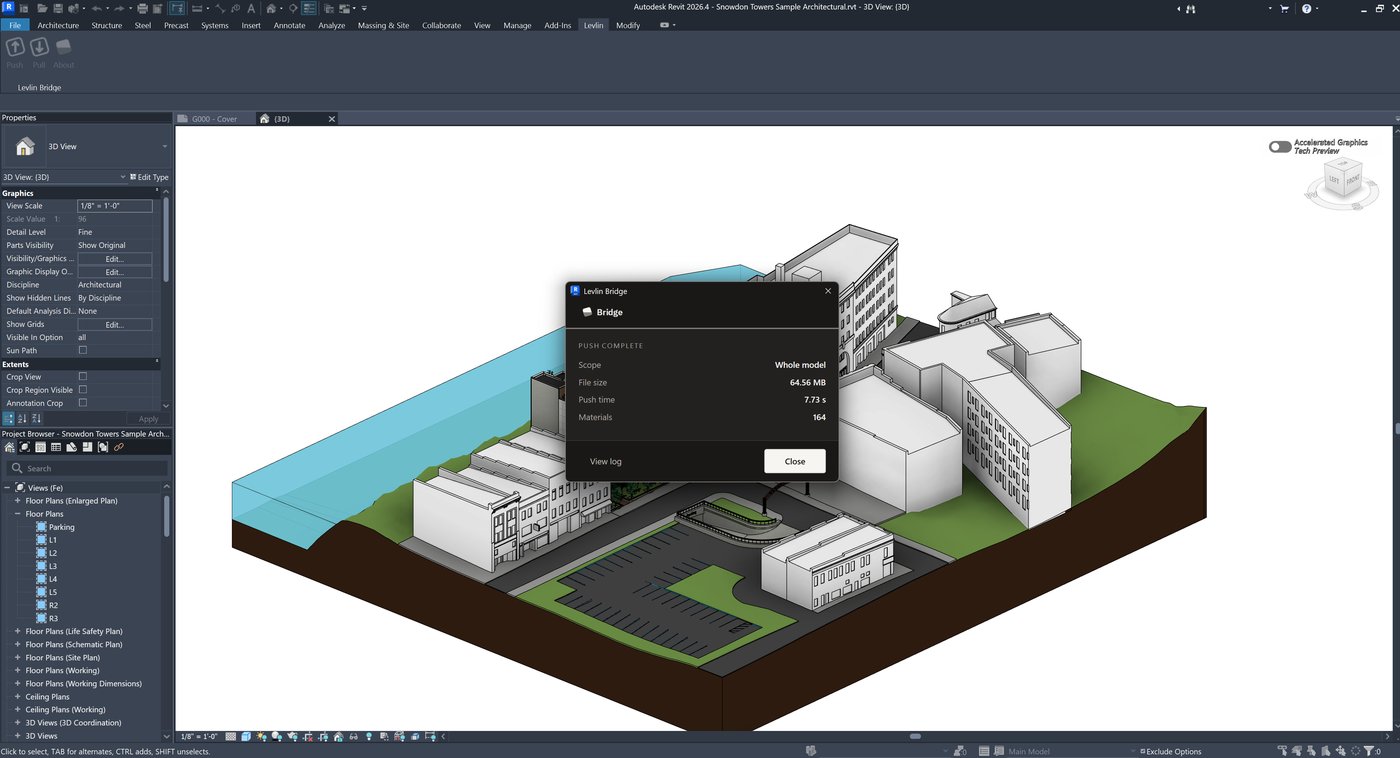
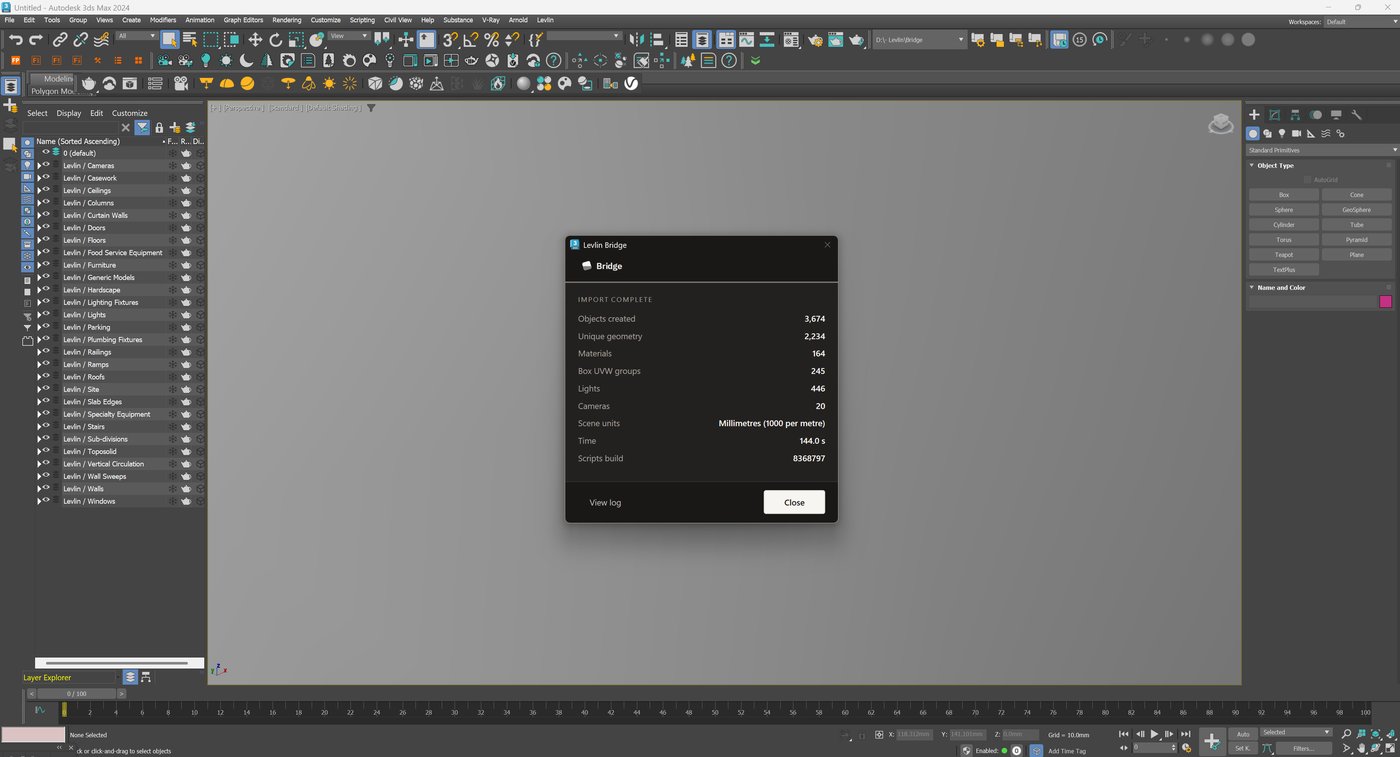
| Native File Link | Levlin Bridge | |
|---|---|---|
| Revit newer than 3ds Max | Does not link | Supported |
| Revit much older than 3ds Max | Upgrade the file first | Supported |
| Combinations supported | Roughly a four-year window, one direction | 24 — any Revit 2022–2027 with any 3ds Max 2024–2027 |
| Upgrading one application | May force the other | Never forces the other |
The full matrix is published as reference documentation on GitHub.
If you are stuck today
None of the above helps on a project that is already broken. The options that exist right now, in the order they cost you least:
| Option | Cost |
|---|---|
| Ask for the model to be saved down to a release your 3ds Max accepts | Ongoing manual work for the BIM team, and it has to happen on every revision. |
| Upgrade 3ds Max | Your plug-in stack has to survive it. Test before the deadline, not during. |
| Move to FBX for this project | The scene is rebuilt on every revision. Everything done since the last one is lost. |
Frequently asked
Do Revit and 3ds Max have to be the same year version?
No. 3ds Max links Revit files from its own year and the three releases before it. What it cannot do is read a Revit file newer than itself.
Can 3ds Max 2024 link a Revit 2026 file?
No. A newer Revit file cannot be linked into an older 3ds Max, and there is no setting that changes it. The file has to be saved down, or 3ds Max has to be upgraded.
Can 3ds Max link an older Revit file?
Yes. Files from the previous three releases link without any conversion, and older files can be upgraded by 3ds Max to a version it accepts.
Why does the link fail even when both are the same year?
Point releases can break it. A documented case has 3ds Max 2025.3.6 refusing files from Revit 2025.4.5 because it reads the point release as a 2026 file.
What does "Autodesk Revit Interoperability for 3ds Max is not installed" mean?
The component 3ds Max uses to read Revit files is missing or does not match the Revit release involved. The constraint lives in that component, which is why it cannot be configured away.
Is there a way to work with mismatched versions?
Yes, if the transfer does not require 3ds Max to parse the .rvt directly. Levlin Bridge writes a file on the Revit side and reads it on the 3ds Max side, so any Revit 2022 to 2027 works with any 3ds Max 2024 to 2027 — 24 combinations.
Related field notes
- How to get a 3ds Max model into Revit as a Mass family
- Which 3ds Max import formats can travel on to Revit?
- Blender to Revit: the FBX, OBJ, glTF and USD route through 3ds Max
- Rhino and Grasshopper geometry into Revit through 3ds Max
- How to get a SketchUp model into Revit as measurable elements
- Flat faces vs curved surfaces: what comes back from 3ds Max as a solid Mass, and what stays a mesh
- What can an architect do with a Mass that came back from 3ds Max?
- Do dimensions and tags survive when you pull again from 3ds Max into Revit?
- Why Levlin Bridge returns 3ds Max geometry to Revit as a Mass family, not a DirectShape
- Is there a plug-in that links Revit and 3ds Max in both directions?
- Why the Revit model arrives at the wrong scale in 3ds Max
- Why the Revit model appears twice in 3ds Max after a reload
- 3ds Max cannot link the Revit file? Four causes, in order
- Revit File Link or FBX for 3ds Max?
- What happens to deleted Revit elements in 3ds Max?
- Why modifiers and UVW break when a Revit link reloads
- What Combine By Revit Material actually does to your model
- Why “Keep material parameters on reload” doesn’t save your 3ds Max materials
- Does Datasmith move a Revit model into 3ds Max?
- Can Speckle sync Revit and 3ds Max?
- Is NVIDIA Omniverse still a Revit to 3ds Max route in 2026?
Levlin Bridge
Levlin Bridge is a Windows plug-in that moves geometry between Autodesk Revit and Autodesk 3ds Max in both directions. Push the model from Revit, pull it into 3ds Max, and push the geometry you changed back into Revit as real elements. Only the difference ever moves, so materials, modifiers and UVW stay exactly where you left them.
Levlin Bridge is in final testing and is not released. There is nothing to download yet. Leave your email and you get the 30-day trial the day it ships.