No single tool has done both directions well, and that is why the question keeps being asked. Several routes move geometry one way. A few claim to move it back. Each stops somewhere specific, and the place it stops is usually not mentioned until you are three revisions into a project.
This note lists the routes that exist in 2026, what each one actually does, and where each one ends. Every claim below links to the vendor’s own documentation where that documentation exists.
What “both directions” has to mean before the comparison is useful
Most answers to this question fail because they never set the bar. Moving a file is not the same as moving a model, and both are far from a working loop. Three things have to be true before a route is bidirectional in any way a visualisation team can use:
- The model reaches 3ds Max® as native, editable objects — not a linked file you cannot touch, and not a proxy the renderer treats as a black box.
- Geometry changed in 3ds Max returns to Revit® as something the architect can work with — measurable, positionable, and able to be built against.
- The next revision does not destroy the work. This is the one everybody forgets, and it is the one that decides whether the route survives contact with a live project.
Point three is the whole game. A route that moves geometry both ways but rebuilds your scene on every update has not solved anything — it has moved the cost from the export to the reload.
The routes that exist
1. The native File Link — Revit to 3ds Max only
3ds Max ships with a File Link Manager that reads an .rvt file directly: File > Import > Link Revit, then File > References > File Link Manager to reload. It is the most-used route and the only one Autodesk supports itself, through the Revit Interoperability component that the 3ds Max documentation describes.
It goes one way. There is no return path in the File Link Manager at all, and there never has been. Two further limits matter on a live project:
- It cannot read forward. A 3ds Max release will not open a Revit file newer than itself. When the BIM team upgrades first — which is the normal case — the link stops. The version rule in full.
- Reload rebuilds what it cannot match. Elements it rebuilds lose the modifiers and UVW attached to them, because the object they were attached to no longer exists. Why that happens.
2. FBX — one way, and the whole scene every time
Export from Revit, import into 3ds Max. It works, it is simple, and it has no concept of an update: the second import is a second copy. Teams that use FBX are not updating a scene, they are rebuilding it. File Link or FBX, and why the usual answer is backwards.
3. Rhino.Inside.Revit — a real return path, with Rhino in the middle
Rhino.Inside.Revit runs Rhino inside the Revit process, and it can genuinely create Revit elements from external geometry — DirectShape, and with Grasshopper work, more than that. It is the strongest return path on this list.
What it is not is a Revit-to-3ds Max route. 3ds Max is not part of it. To use it you take geometry out of Max as OBJ or FBX, bring it into Rhino, and rebuild the definition in Grasshopper. That is a third application, a third licence, and a Grasshopper definition someone has to maintain. It answers a different question well.
4. NVIDIA Omniverse — a shared view, not a return
Omniverse connectors put both applications on a shared OpenUSD scene, and the live view across applications is genuinely impressive. But geometry authored in 3ds Max arrives in Revit as a USD reference: visible, coordinated, and not a Revit element. It is a coordination surface, not a modelling round trip — and it needs a Nucleus server behind it. What Omniverse is and is not in 2026.
5. Speckle — excellent, and has no 3ds Max connector
Speckle’s Revit connector is mature and its versioning model is the best thinking on this problem anywhere. There is simply no 3ds Max connector in their documentation, and it invites users to request the connectors they do not have. Nothing here is a criticism of Speckle — it is just not a Revit-to-Max route. The connector list, checked.
6. Datasmith — Revit to Unreal, not to 3ds Max
Datasmith is frequently named in answers to this question. It moves Revit into Unreal Engine. The 3ds Max side of Datasmith is an exporter out of Max, also into Unreal. It is not a Revit-to-Max route in either direction. Why it keeps being suggested.
7. SAT or DWG, plus a script — the honest manual route
Export the Max mesh as SAT or 3D DWG, import it into a Revit family or an in-place mass, and optionally drive the last step with Dynamo or a C# add-in to land it as a DirectShape. This works. It is also manual for every element, it produces a new object each time rather than updating the one already there, and the file count grows with every revision. It is the route people mean when they say semi-automated.
The comparison, in one table
| Route | Revit → Max | Max → Revit | Survives the next revision? |
|---|---|---|---|
| Native File Link | Yes, native objects | No path at all | Rebuilt elements lose modifiers and UVW |
| FBX | Yes, one time | No | No update concept — every import is a new copy |
| Rhino.Inside.Revit | Not a Max route | Yes, real Revit elements | Depends on the Grasshopper definition you maintain |
| Omniverse | Yes, live view | Arrives as a USD reference, not an element | Needs a Nucleus server running |
| Speckle | No 3ds Max connector | No 3ds Max connector | — |
| Datasmith | Revit to Unreal | Max to Unreal | — |
| SAT / DWG + script | — | Yes, manually, per element | New object each time, file count grows |
Read down the third column and the pattern is clear. The return path is the part that has been solved — by Rhino.Inside.Revit, and by hand with a script. What has not been solved is the loop: a route where the model goes out, the changed geometry comes back, and the next revision leaves the visualisation work standing.
Where Levlin Bridge sits
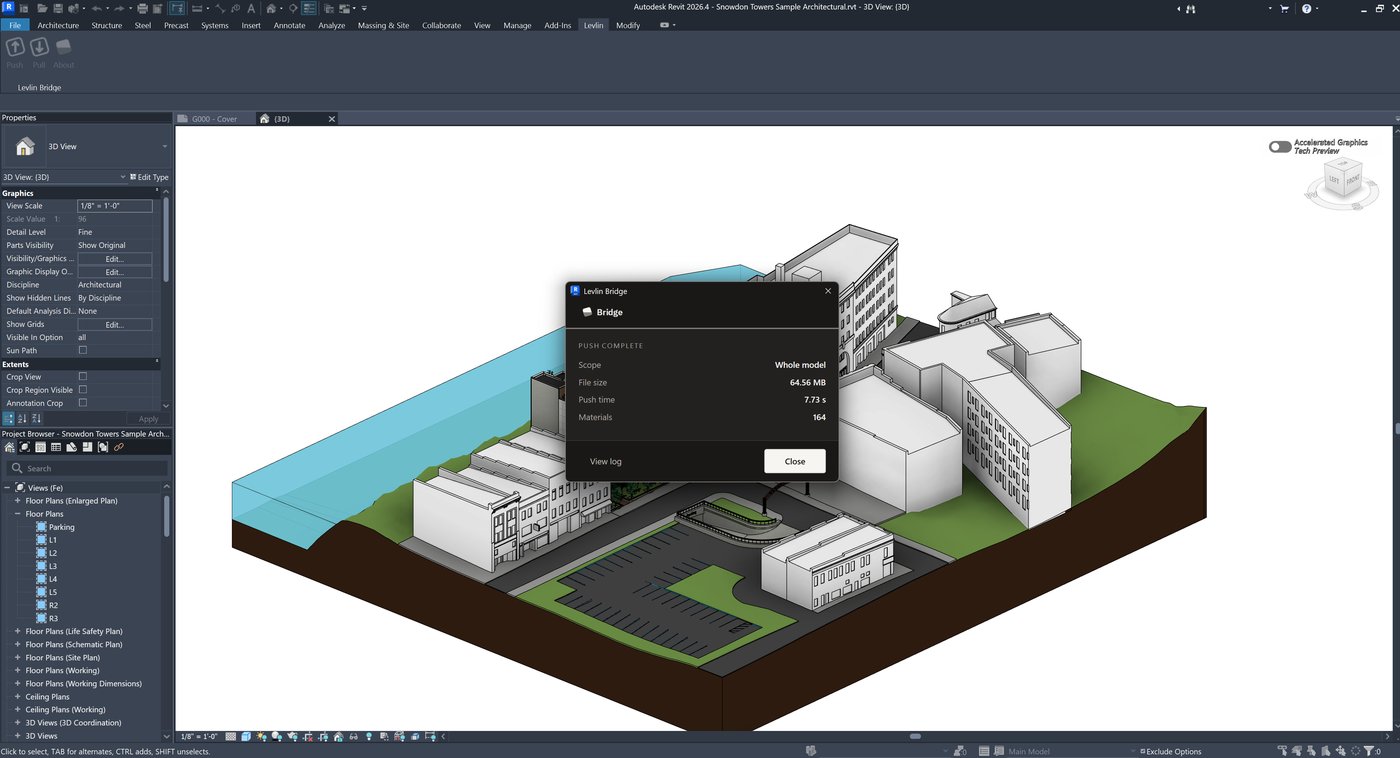
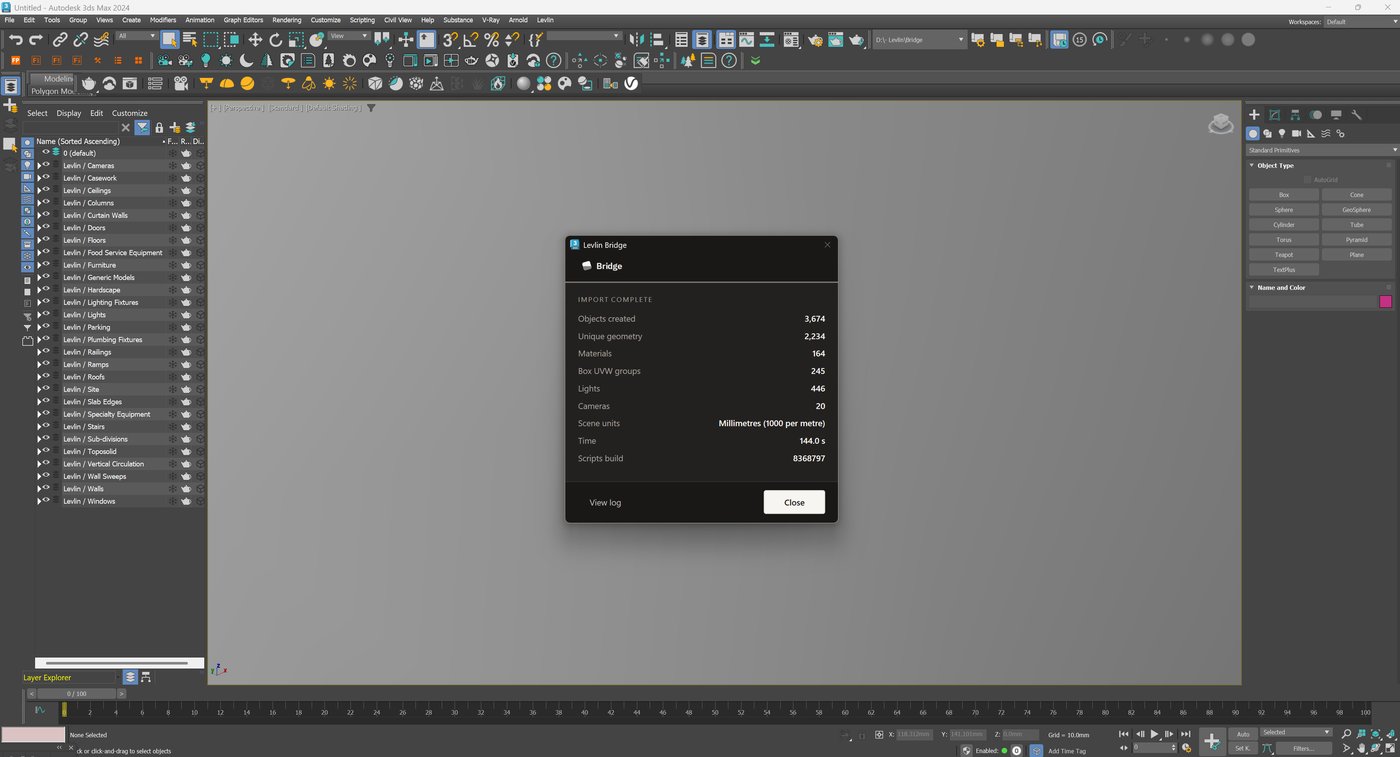
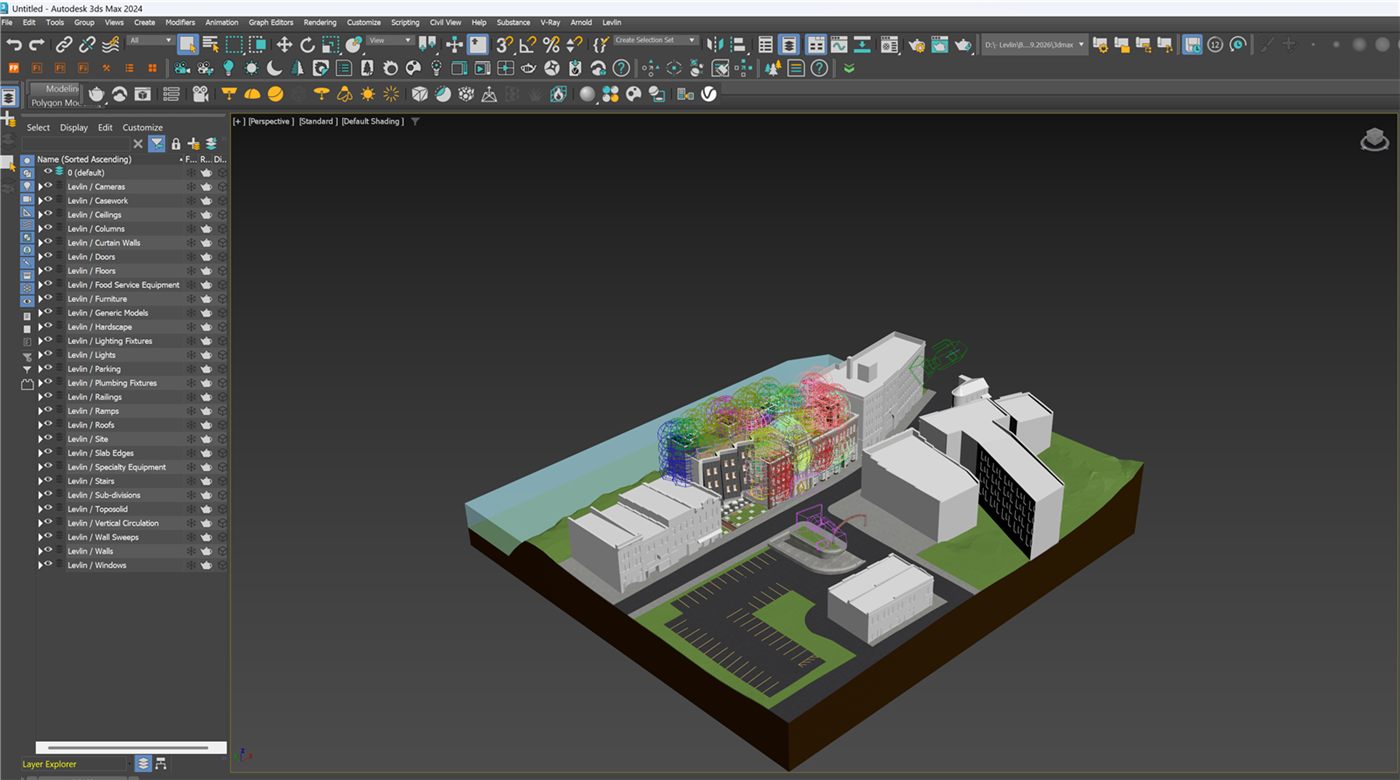
Levlin Bridge is a Windows plug-in built for that loop and nothing else. Push the model from Revit and pull it into 3ds Max, and after the first import only the elements whose source geometry actually changed are rebuilt — so materials, modifiers and UVW stay on everything else because nothing disturbed them. Elements arrive as native 3ds Max objects on layers that mirror Revit categories, whole and separately selectable, with repeated elements as instances rather than copies.
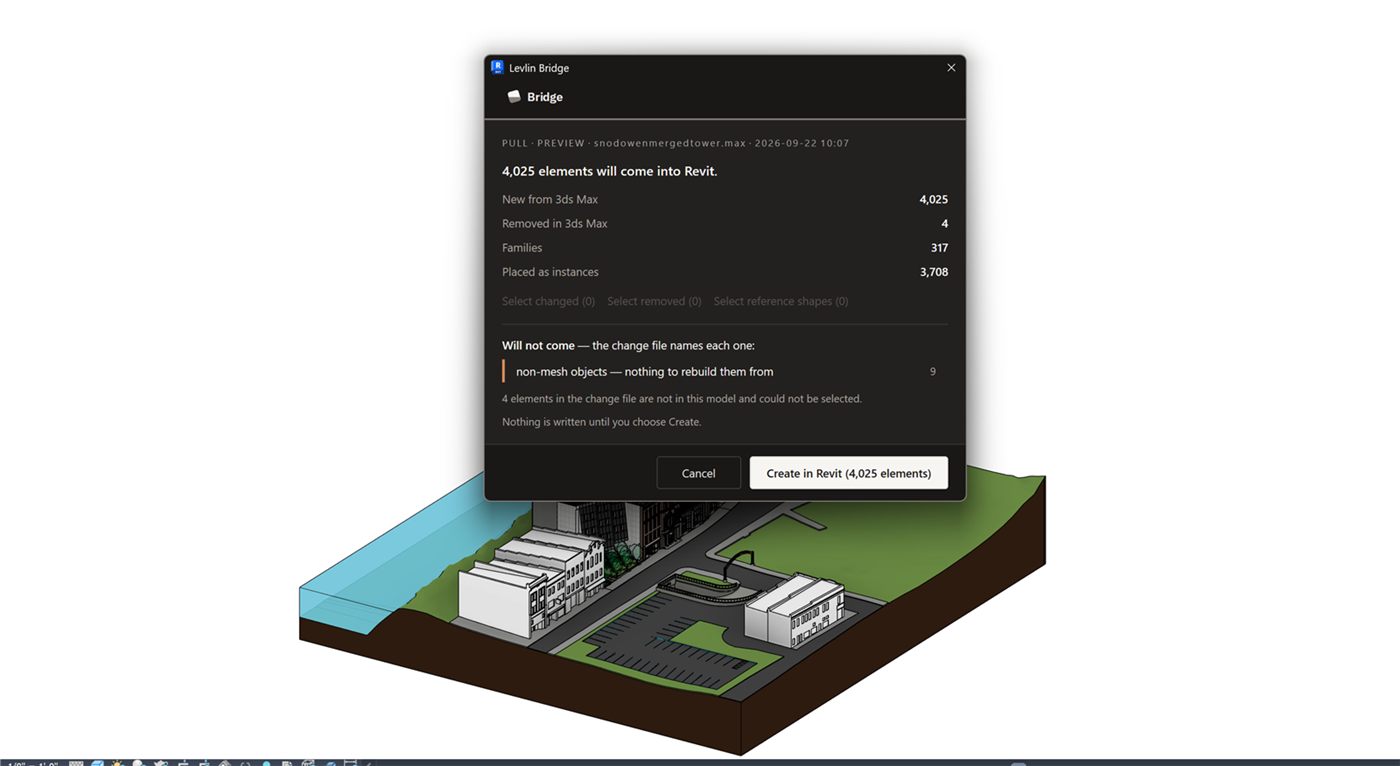
Geometry changed in 3ds Max is pushed back and pulled into Revit as an editable conceptual mass carrying the material it had in 3ds Max — solid where the geometry closes, and buildable surfaces where it does not. It lands beside the BIM elements, never on top of them, and only when a modeller pulls it in. When elements are deleted in Revit, it stops and asks rather than removing them.
Any Revit 2022–2027 works with any 3ds Max 2024–2027, so neither team’s upgrade forces the other’s.
One recorded round trip
The four windows below were all recorded on 22 September 2026, with Revit 2026.4 and 3ds Max 2024 on a single workstation. They are screenshots of real runs, not illustrations. They are not one continuous session: the push and the pull preview are from Autodesk’s public Snowdon Towers sample model, and the two 3ds Max windows are from a separate scene recorded the same day.
Levlin Bridge is in final testing and is not released. There is nothing to download today, and this page is updated with measured results rather than claims as testing finishes.
Frequently asked
Is there an official Autodesk tool that links Revit and 3ds Max both ways?
No. Autodesk ships the File Link, which reads a Revit file into 3ds Max and has no return path. There is no Autodesk product that sends 3ds Max geometry back into Revit.
Why do most answers to this question name Rhino or Omniverse?
Because both genuinely solve part of it. Rhino.Inside.Revit can create real Revit elements from outside geometry, and Omniverse can put both applications on one live scene. Neither is a Revit-to-3ds Max route on its own: Rhino needs a third application in the middle, and Omniverse returns geometry as a USD reference rather than a Revit element.
Can I just export SAT from 3ds Max and import it into Revit?
Yes, and it works. It is manual for every element, it creates a new object rather than updating the one already in the model, and the number of imported files grows with every revision. It is a workaround rather than a route.
Does the geometry have to be a DirectShape when it comes back?
Not necessarily. A DirectShape is one way to place non-native geometry in Revit, and it is what the script route typically produces. Geometry can also return as a conceptual mass, which is editable and can be built against with the face-based tools.
Do Revit and 3ds Max have to be the same release?
For the native File Link, effectively yes in one direction: 3ds Max reads three releases back and cannot read a Revit file newer than itself. That constraint is not inherent to the file format, and it is the single most common reason a link stops working mid-project.
Related field notes
- How to get a 3ds Max model into Revit as a Mass family
- Which 3ds Max import formats can travel on to Revit?
- Blender to Revit: the FBX, OBJ, glTF and USD route through 3ds Max
- Rhino and Grasshopper geometry into Revit through 3ds Max
- How to get a SketchUp model into Revit as measurable elements
- Flat faces vs curved surfaces: what comes back from 3ds Max as a solid Mass, and what stays a mesh
- What can an architect do with a Mass that came back from 3ds Max?
- Do dimensions and tags survive when you pull again from 3ds Max into Revit?
- Why Levlin Bridge returns 3ds Max geometry to Revit as a Mass family, not a DirectShape
- Why the Revit model arrives at the wrong scale in 3ds Max
- Why the Revit model appears twice in 3ds Max after a reload
- 3ds Max cannot link the Revit file? Four causes, in order
- Revit File Link or FBX for 3ds Max?
- Do Revit and 3ds Max versions have to match?
- What happens to deleted Revit elements in 3ds Max?
- Why modifiers and UVW break when a Revit link reloads
- What Combine By Revit Material actually does to your model
- Why “Keep material parameters on reload” doesn’t save your 3ds Max materials
- Does Datasmith move a Revit model into 3ds Max?
- Can Speckle sync Revit and 3ds Max?
- Is NVIDIA Omniverse still a Revit to 3ds Max route in 2026?
Levlin Bridge
Levlin Bridge is a Windows plug-in that moves geometry between Autodesk Revit and Autodesk 3ds Max in both directions. Any Revit 2022–2027 works with any 3ds Max 2024–2027.
Levlin Bridge is in final testing and is not released. There is nothing to download yet. Leave your email and you get the 30-day trial the day it ships.